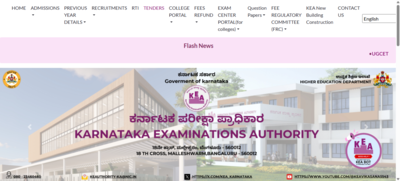
KCET 2026: The Karnataka Examinations Authority (KEA) has opened the correction window for Karnataka Common Entrance Test (KCET) 2026 application forms, according to the official notice. Candidates who have already submitted their forms can now edit and update details through the official website cetonline.karnataka.gov.in.The KCET 2026 correction window will remain open till March 30, 2026. KEA has clearly stated that this facility is only for making corrections in already submitted applications according to the official notice. Fresh applications will not be accepted after the deadline.
Important instructions for candidates
KEA has informed that only the details available in the final submitted application will be saved on the server and considered valid for further admission and seat allotment processes. Candidates are advised to carefully check all information before final submission.Special note for SC candidates under internal reservationThe examination authority has issued specific instructions for Scheduled Caste (SC) candidates applying under internal reservation categories Category-A, Category-B, and Category-C.Such candidates must:
- Obtain a caste certificate with internal reservation details from the concerned Tahsildar
- Correctly enter the Revenue Department (RD) number in the KCET 2026 application form
KEA has observed that some candidates entered RD numbers from older caste certificates that do not mention internal reservation details. This may affect their eligibility for reserved category seat allotment.Only candidates who correctly enter the RD number in the online form will be considered under the respective reserved category, according to the official notice.
KCET 2026: How to edit your application form
Candidates can make the necessary changes in their application form by following the steps mentioned below:
- Go to the official website at cetonline. karnataka. gov. in
- Choose the link related to UGCET 2026 online application that will be available on the homepage
- Log into your account with User ID and Password or Application Number and Date of Birth
- Click the Edit Required option and make changes in the areas like reservation claims, RD number, or academic details
- Press the Declare button and thoroughly check the updated details
- Finish by clicking on the Final Submit button
- Save and print out the modified application form for your records
Direct link here.Candidates are strongly advised to make all the necessary corrections on or before March 30 date to be safe with the seat allotment process.